New Overlay: G-Force Meter

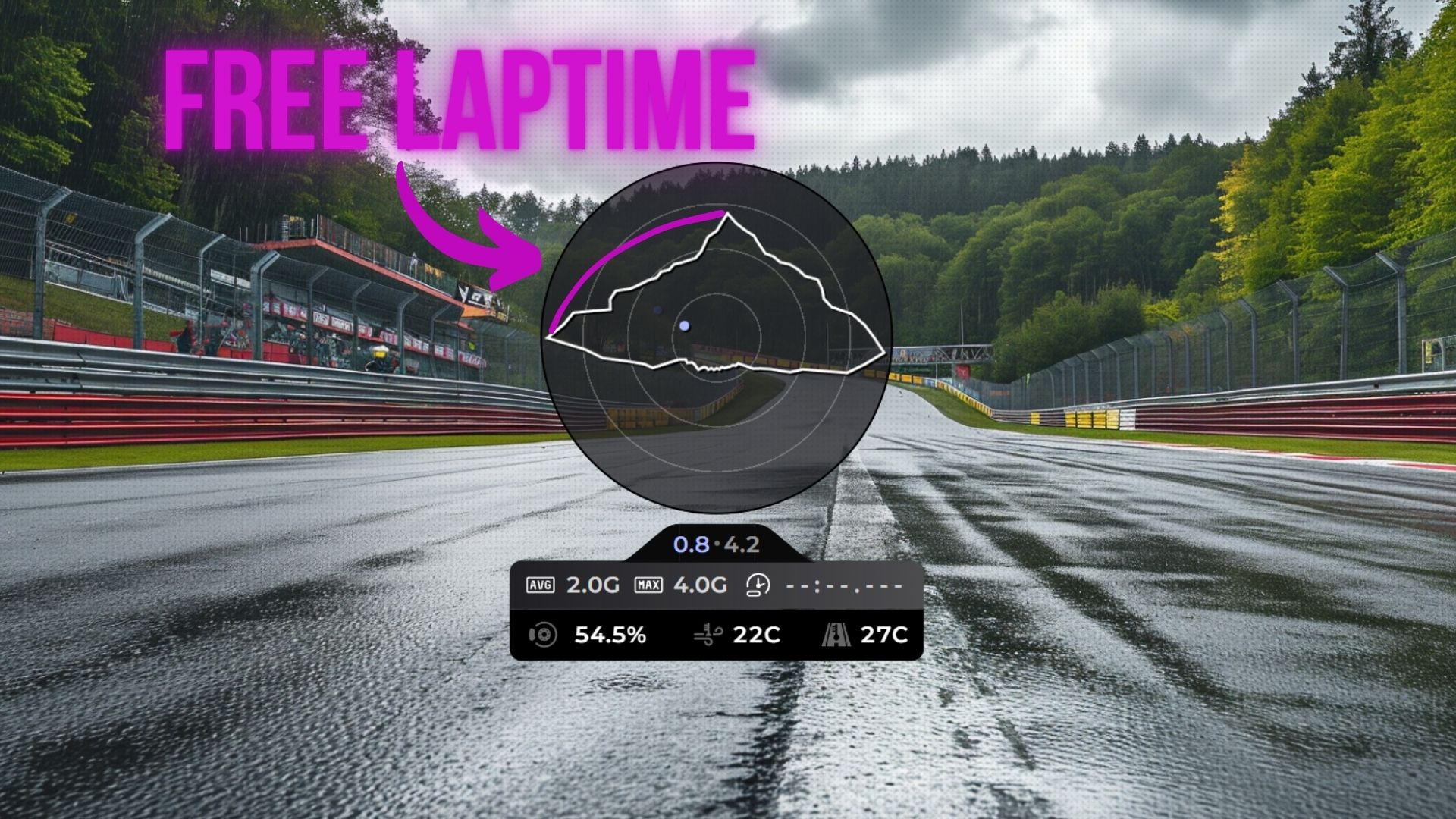
Feel the forces! The brand new G-Force Meter overlay is here. 🎯
What is a traction circle?
The traction circle (also known as a friction circle) is one of the most powerful tools for understanding vehicle dynamics. It visualizes the total grip your tires have available and how you're using it at any given moment.
Your tires can only produce a finite amount of grip. That grip can be used for braking, accelerating, or cornering - but the total is always limited. The traction circle shows this as a circular boundary: the closer the dot is to the edge, the more grip you're using. If the dot stays inside the circle, you have grip to spare. If it hits the edge, you're at the limit.
What does this tell you as a driver?
- Trail braking - A smooth arc from the top of the circle (braking) to the side (cornering) means you're trail braking well. A sudden jump means you're releasing the brake too quickly and losing time
- Corner exit - The transition from cornering to acceleration should be a smooth arc along the circle's edge. Jerky movements mean you're not using all available grip
- Smoothness - Erratic dots bouncing around inside the circle indicate rough inputs. The fastest drivers keep the dot tracing the edge of the circle as smoothly as possible
- Finding the limit - If your dot rarely reaches the outer edge, you're leaving grip on the table. If it's constantly spiking past it, you're overdriving
What you get
- Traction circle - A live visualization of your lateral and longitudinal G-forces as you drive around the track
- Current forces - Real-time G-force numbers showing exactly how much grip you're using
- Peak G-force - Track your maximum forces to understand the limits of your car
The G-Force Meter is also available as a module inside the Input Telemetry overlay, so you can combine it with your existing pedal and steering inputs for a complete picture of your driving.
How to use it
- Open your Layout Editor
- Add the G-Force Meter overlay, or enable the G-Force module in your Input Telemetry overlay settings
- Position it to your liking
- Hit the track and watch the forces come alive
Whether you're working on trail braking, chasing smoother inputs, or just want to understand your driving better, this overlay is an invaluable coaching tool. Share your feedback on Discord!