Fuel Sharing
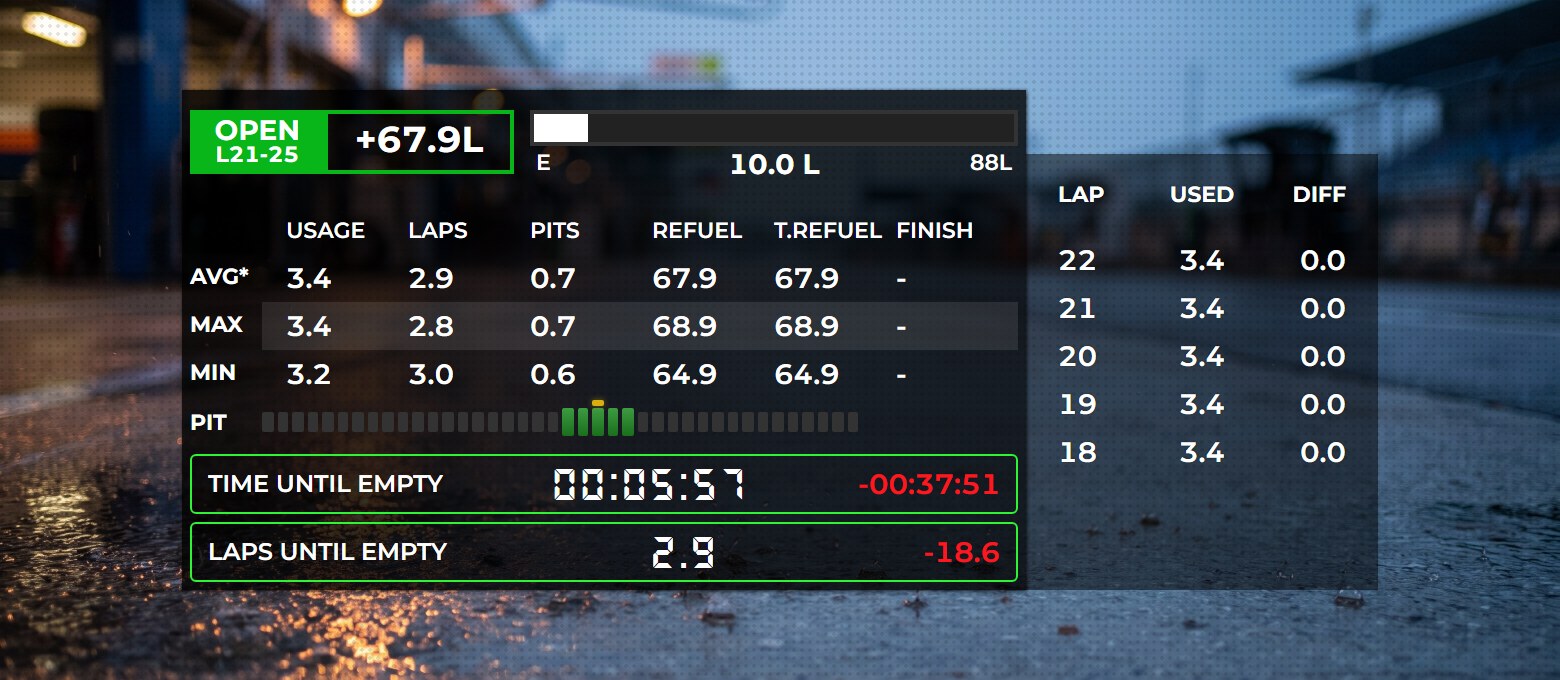
With Fuel Sharing, your whole team can follow the fuel of whoever is driving. While a team mate is behind the wheel, your Fuel Calculator overlay shows their fuel level, consumption, laps remaining and refuel amounts, so the team can plan stints and pit stops together. That's ideal for endurance races with driver swaps.
What You Need
- Racelab on every PC. Everyone in the team runs Racelab and is logged in with their own Racelab account.
- Racelab Pro to create a group. Only the person who creates the group needs Pro. Joining a group is free.
- The same session. The driver and the team mates who are watching all have to be in the same sim session
How It Works
A fuel sharing group is identified by a token: a unique code that one team member creates and passes on to the others. Everyone who joins with the same token is in the same group.
- While you're driving, Racelab sends your fuel data to your group every few seconds.
- While a group member is driving, your Fuel Calculator shows the fuel data they send, as soon as you watch their car.
Step 1: Open the Fuel Sharing Settings
- In Racelab, go to Overlays and select the Fuel Calculator.
- In the settings panel on the right, expand Fuel Sharing.
- Make sure Enable fuel sharing is switched On.
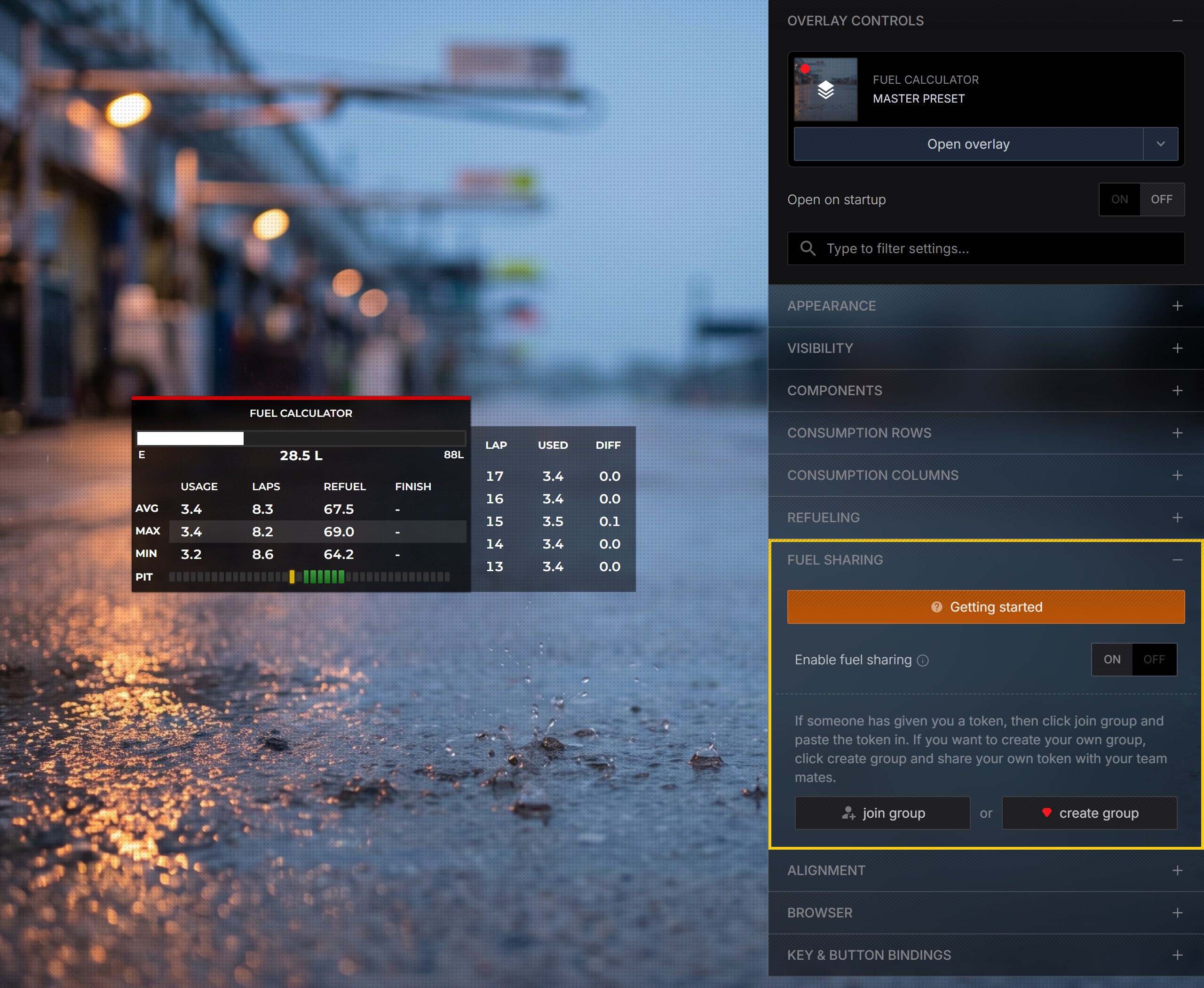
The Getting started button at the top of the section opens a short guide right inside Racelab.
Step 2: Create a Group (Pro)
One team member creates the group, usually the one with Racelab Pro. Everyone else continues with Step 3.
- Click Create group. Racelab generates a new token, and you are the first member of the group.
- Click Copy token and send the token to your team mates, for example on Discord.
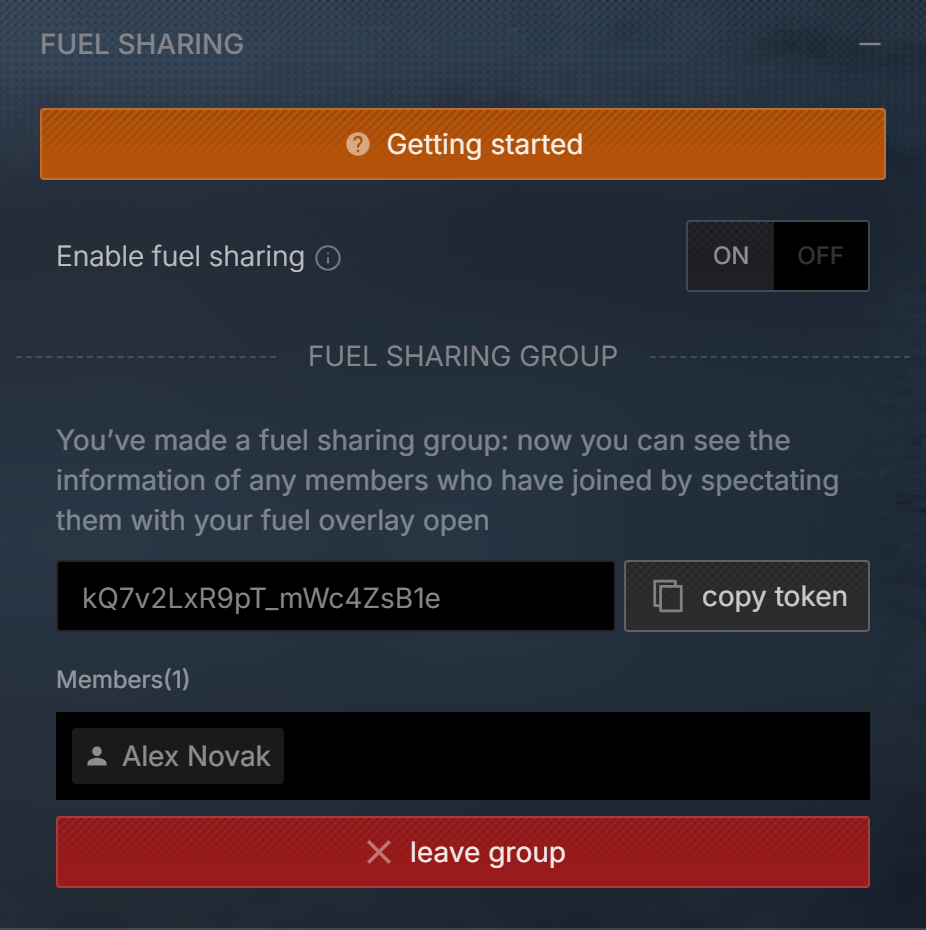
Anyone who has the token can join your group and see the fuel data of its members. Only share it with your team.
Step 3: Join the Group
Every other team member joins with the token:
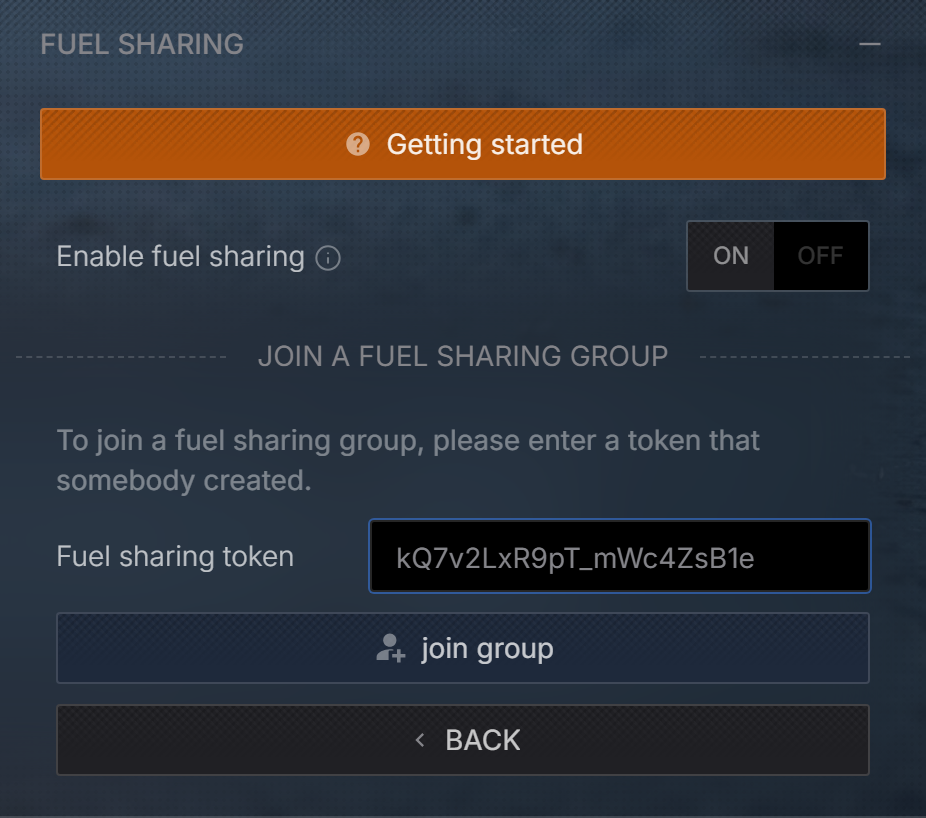
- Click Join group.
- Paste the token into the Fuel sharing token field.
- Click Join group.
If the token is valid, you see the group's token and its members:
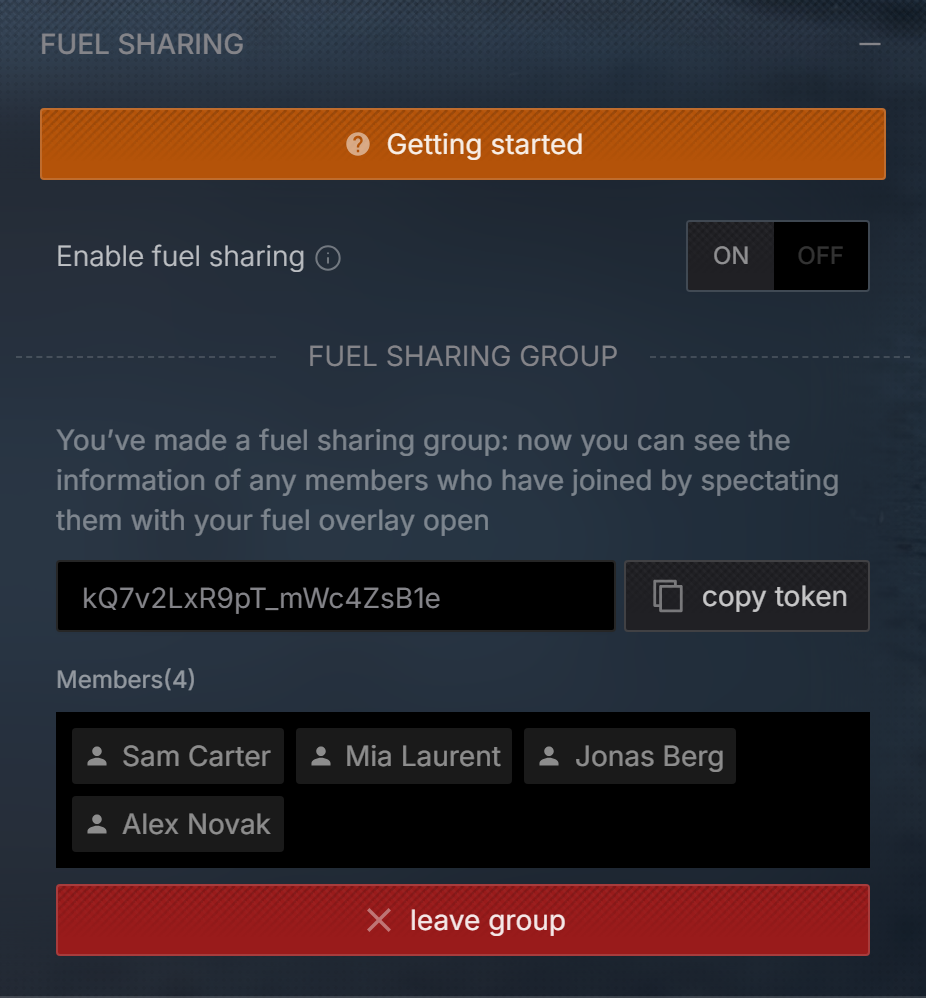
The member list is loaded when you open the Fuel Sharing section. Open it again to see who has joined since.
Step 4: Go Racing
- Set up the group before you start the sim (see Troubleshooting).
- Everyone joins the same session.
- The driver doesn't have to do anything else: Racelab sends their fuel data automatically while they're in the car. They don't even need the Fuel Calculator overlay open.
- Everyone else opens the Fuel Calculator overlay and spectates the driver's car. The overlay now shows the driver's fuel data instead of your own.
In iRacing team races, watch your own team's car while your team mate is driving it. Your Fuel Calculator then shows their fuel data.
Leaving a Group
Click Leave group in the Fuel Sharing section. You can create or join another group at any time.
You can only be in one group at a time: creating or joining a group replaces the one you're in. Your group is saved with your Racelab account, so you stay in it across sessions and races until you leave. There's no need for a new token every race.
Troubleshooting
| Problem | What to do |
|---|---|
| The Fuel Calculator shows my own data | Make sure you're spectating the car of the team mate who is driving, and that you're both in the same group and the same session. |
| Nothing happens after joining a group | Racelab connects to your group when it connects to the sim. If you joined or switched groups while the sim was already running, restart the sim. |
| The data takes a moment to show up | After the session starts, it can take up to about 15 seconds until the first data arrives. After that, it updates every few seconds. |
| No data while the driver is in the garage | Racelab only sends fuel data while the driver is in the car, not while they're sitting in the garage. |
| "That's not a valid token" | Double-check the token. Copy and paste it instead of typing it, and make sure the group still exists (at least one member hasn't left). |
| "Create group" is greyed out | Creating a group requires Racelab Pro. You can still join a group that a team mate created. |
If you're still stuck, ask in our Discord or contact [email protected].